
Summary:
- Menu built by Clover (Toast asks merchant to built their own with a spreadsheet)
- Advanced features included at no additional charge:
- Third party integrations, online ordering, gift card
- Homebase timeclock, timesheets, scheduling, employee app
- No contracts, transparent hardware, SaaS, and fixed processing costs.
- Clean user interface, efficient use of screen
- Receipt pane occupies 25% of screen
- Category list scrollable, 10 visible at a time
- Items on Station scrollable, 24 visible at a time
Clover vs Toast:
Advantages:
Clover
- Menu built for merchant by Clover (Toast asks merchant to built their own with a spreadsheet)
- Many advanced features included with Clover at no additional charge
- Third party integrations, online ordering, gift card
- Homebase timeclock, timesheets, scheduling, employee app
- No contracts, transparent hardware, SaaS, and fixed processing costs.
Toast
- System includes a managed Cisco router (extended range device install is up to the merchant)
- Sub-Modifiers & Sub-categories (Clover expects to roll these features out Q1-2026)
- Appears to heavily discount hardware (but makes it up with processing fees)
User Interface Differences:
Clover: Clean user interface.
- Receipt pane on left (occupies 25% of screen)
- Category list down the center (scrollable, 10 visible at a time)
- Items on the right (scrollable, 24 visible at a time)
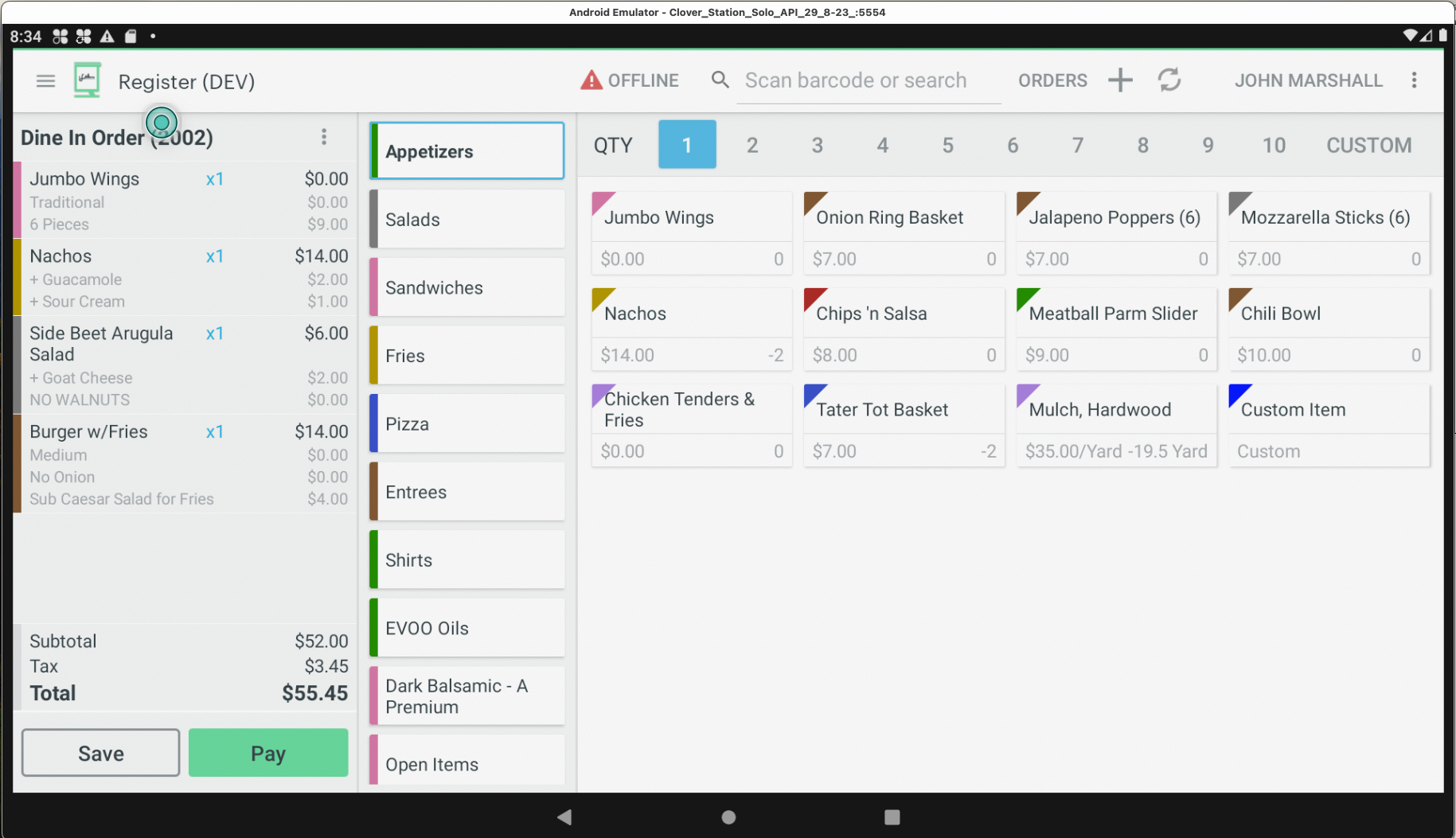
Toast: Inefficient use of screen area.
- Receipt pane on left (occupies 33% of screen)
- Entire column allotted to menus
- Categories across the top (pan right/left, 3.5 visible at a time)
- Items shown below category name (pan right/left, 8 visible at a time
Note: Categories with more than 8 items consume another column, further limiting view.
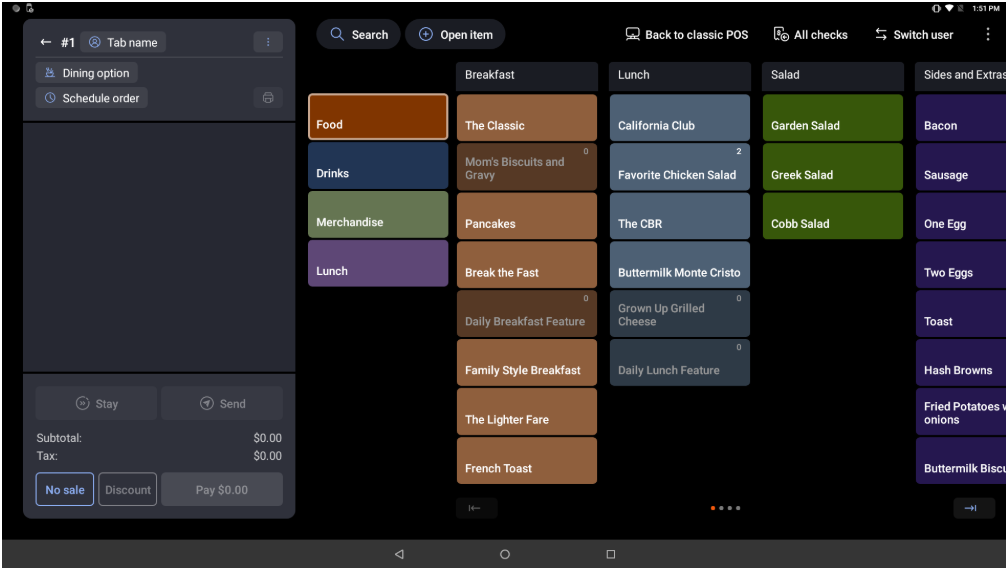
Toast Go wastes screen on previously ordered items rather than the future orders / needs of the patron.
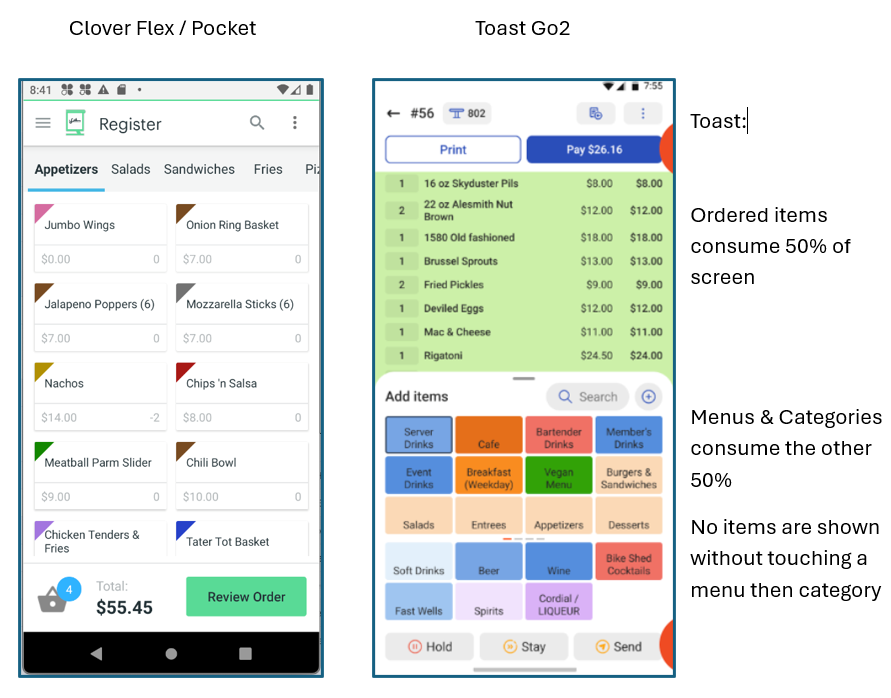
Clover provides nearly 90% of the screen to present sales items by placing ordered items into a 'Cart' on a new screen. This allows immediate access to 10 items before scrolling. Toast screens are busy with tiny buttons.
System Cost Comparison:
Highlights:
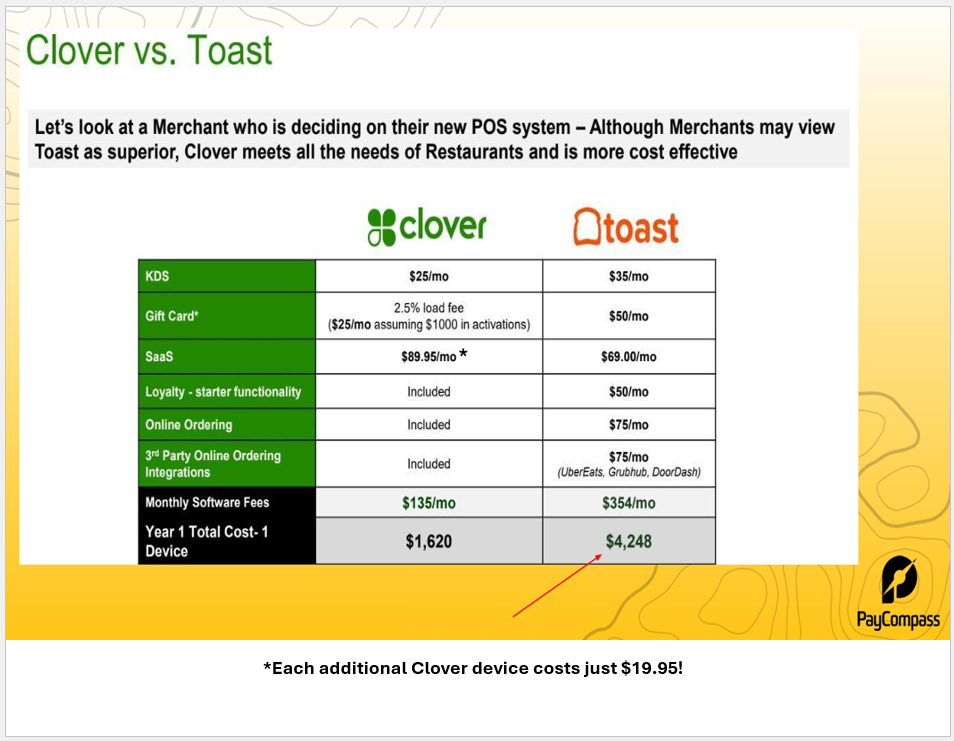
- Toast charges $69 per terminal per month (including their Go handheld)
- Clover Charges $89 for the first device, $19.95 for each additional device (Clover GO App excluded)
- Toast charges $90/month for their self-order kiosk running on a POS terminal
- Clover charges $35/month for their purpose built 24" portrait kiosk (optional floor stand)
- Toast charges $50/month for gift cards (no matter how many are issued)
- Clover only charges when gift are issued. Inactive months $0.00, slow months only what they issue
Toast Has Poor Customer Support: Trustpilot