
- Create the FreshDesk Article
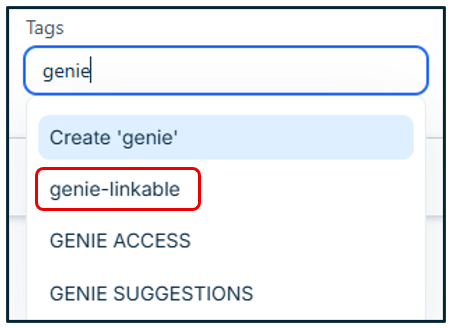
- Ensure the 'Genie-Linkable' Tag is set (this is what allows certain articles to be seen on Genie or not at all)
- Save and Publish the Article
- Copy the Article number (ID) availble in the URL field at the top of the FD page.

- Open Genie in developer mode
- Choose the Data tab and select the table that you article link will be placed into (links are supported in Events, Hardware, Software Services, FAQ, and Knowledgebase only)
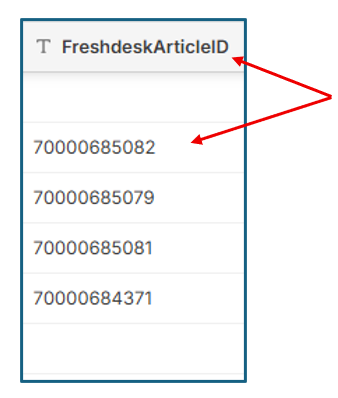
- Locate the Row (product,topic) to assign the article to, then paste the Article into the column marked "FreshdeskArticleID", no save is necessary.
NOTES: Articles are 'cached' to conserve API call credits and will be auto-updated monthly. If there are updates made to articles that need to be refreshed sooner, open the utilities tab and choose FreshDesk Updater and paste the article ID's separated by commas. Tap the update button.