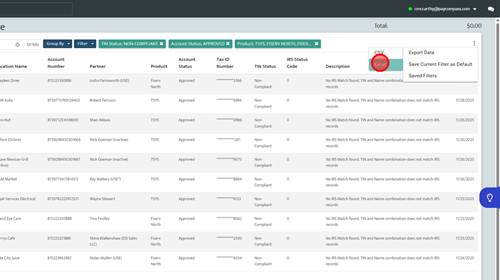
TIN Validation Spreadsheet Generation
1 | Step 1 |
Click 'Operations' text | |
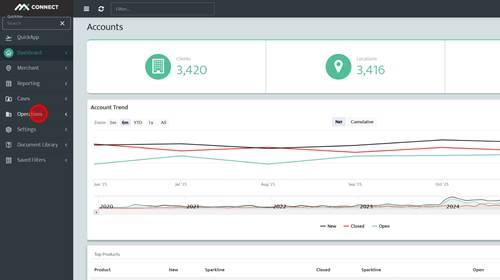
2 | Step 2 |
Click 'Compliance' text | |
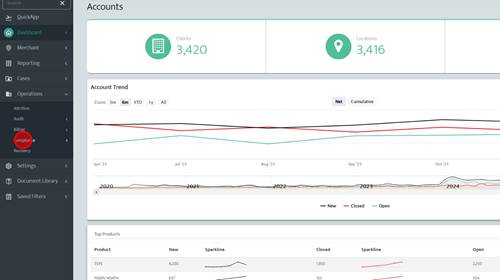
3 | Step 3 |
Click 'IRS Compliance' text | |
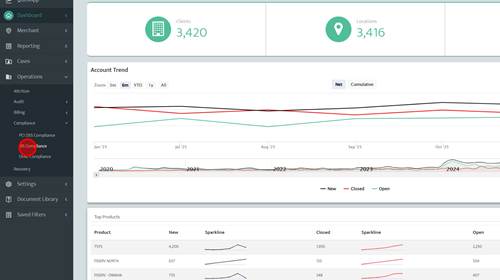
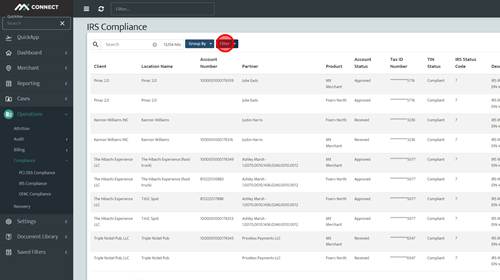
4 | Step 4 |
Click 'Filter' text | |
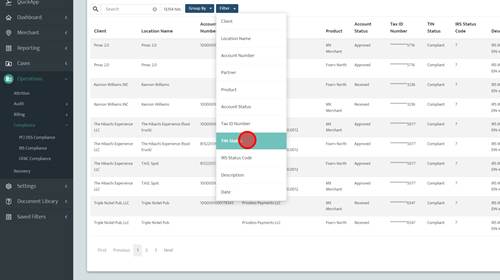
5 | Step 5 |
Click 'TIN Status' | |
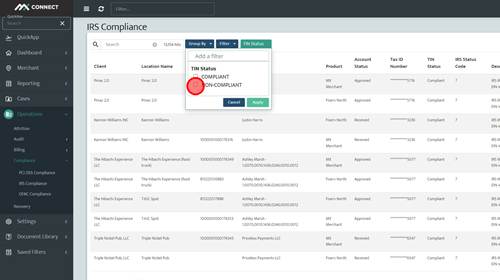
6 | Step 6 |
Click 'non-compliant' | |
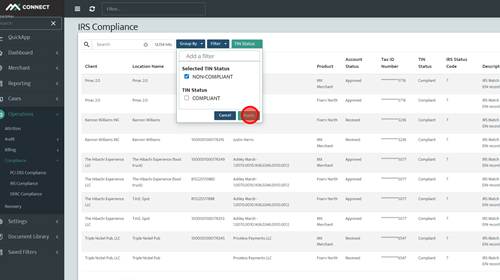
7 | Step 7 |
Click 'Apply' text | |
8 | Step 8 |
Click 'Filter' text | |
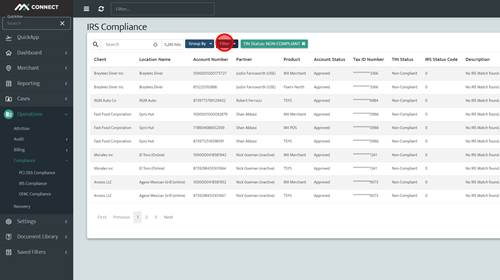
9 | Step 9 |
Click 'Account Status' | |
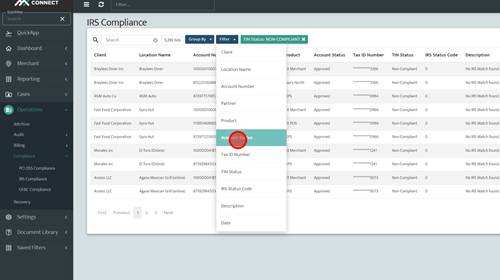
10 | Step 10 |
Click 'Approved' | |
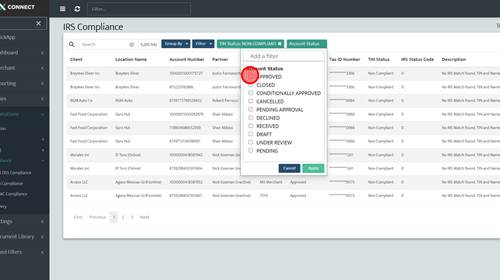
11 | Step 11 |
Click 'Apply' text | |
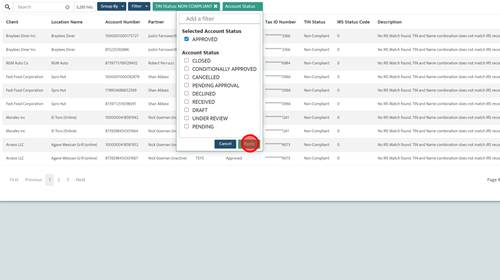
12 | Step 12 |
Click 'Filter' button | |
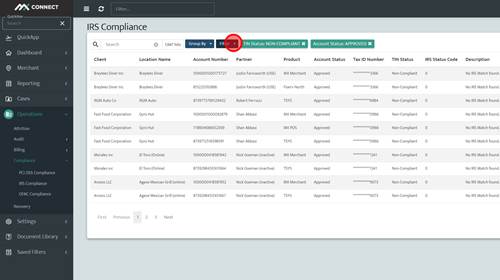
13 | Step 13 |
Click 'Product' | |
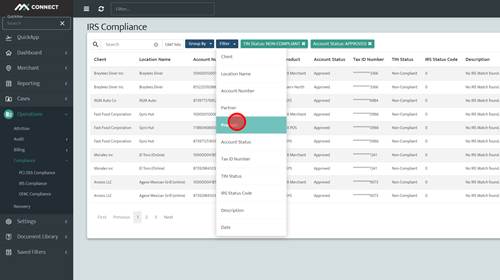
14 | Step 14 |
Click 'TSYS' | |
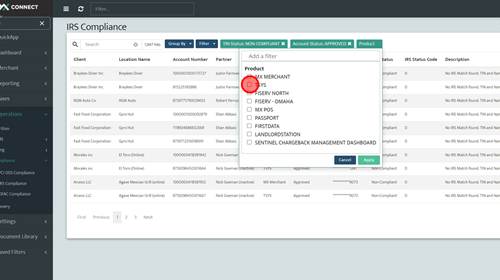
15 | Step 15 |
Click 'Fiserv north' | |
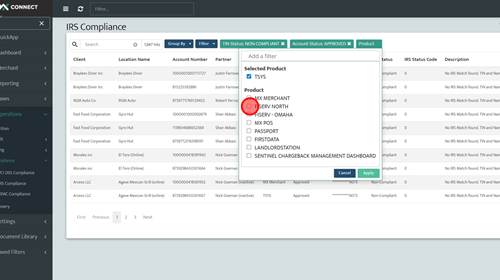
16 | Step 16 |
Click 'Fiserv - Omaha' | |
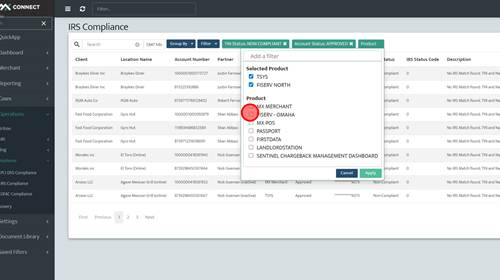
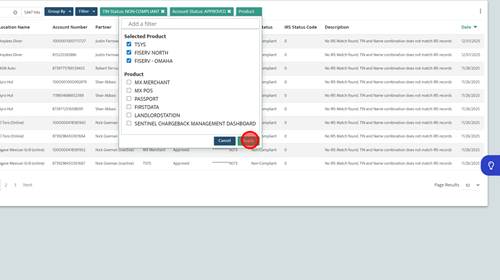
17 | Step 17 |
Click 'Apply' text | |
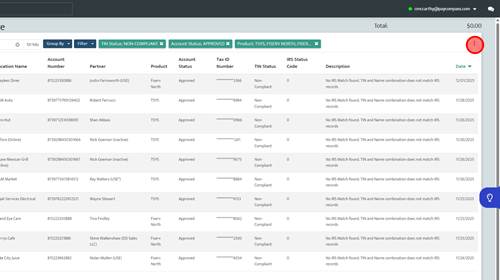
18 | Step 18 |
Click the three dots in the top right corner | |
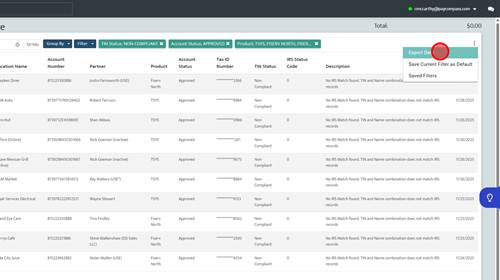
19 | Step 19 |
Click 'Export Data' | |
20 | Step 20 |
Click 'Excel' | |