
Once you have downloaded the TIN Invalid Excel highlight the first label row.
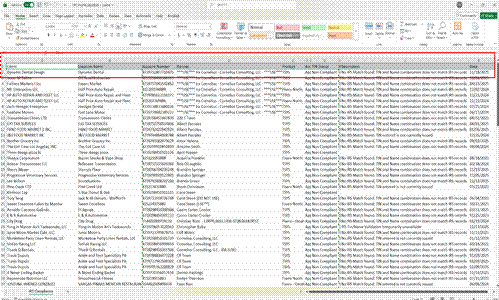
Once highlighted go to the home section of the Excel taskbar, select "sort and filter" and then select "Filter".
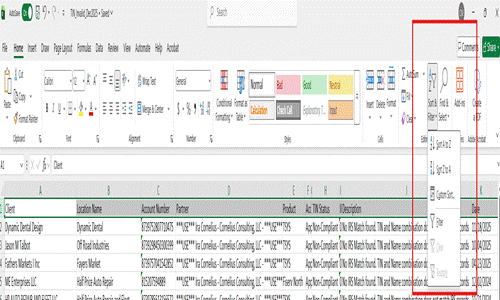
Once the filters are setup for the first row select the dropdown next to the "partner" cell and filter A to Z. This will group all the agents together so you can easily send all accounts per agent in one TIN Invalid email.
NOTE: Some agents will be under agent group names as well as there own name (Example: Some of Keith Reimer's accounts are labeled as "220 T Town"). If there is any confusion on which agent is associated with which MID, you can try looking at the agent tag on the account within MxConnect, try searching up the MID in FreshDesk or you can ask the team.