
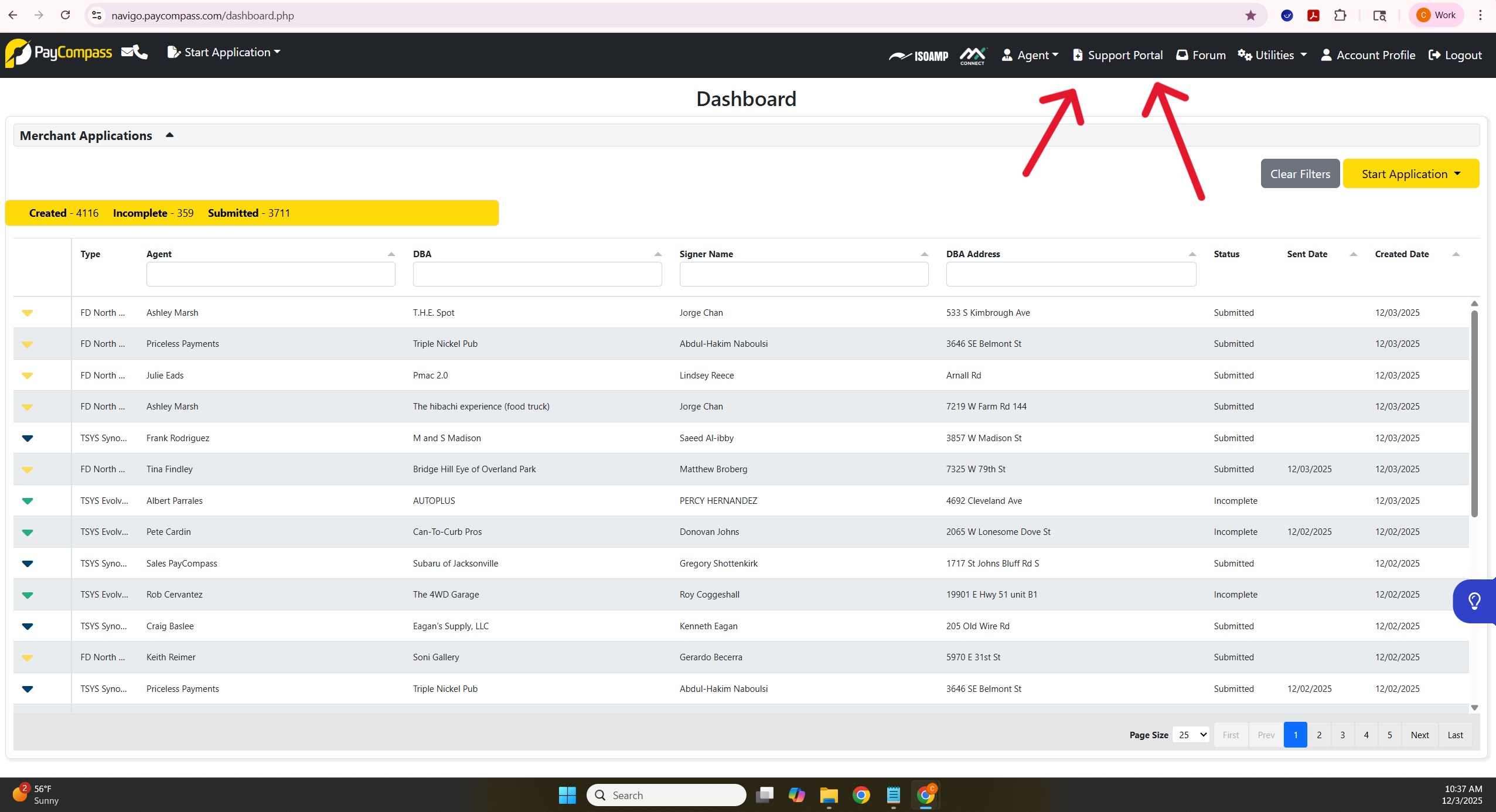
Once logged into Navigo you will click "Support Portal"
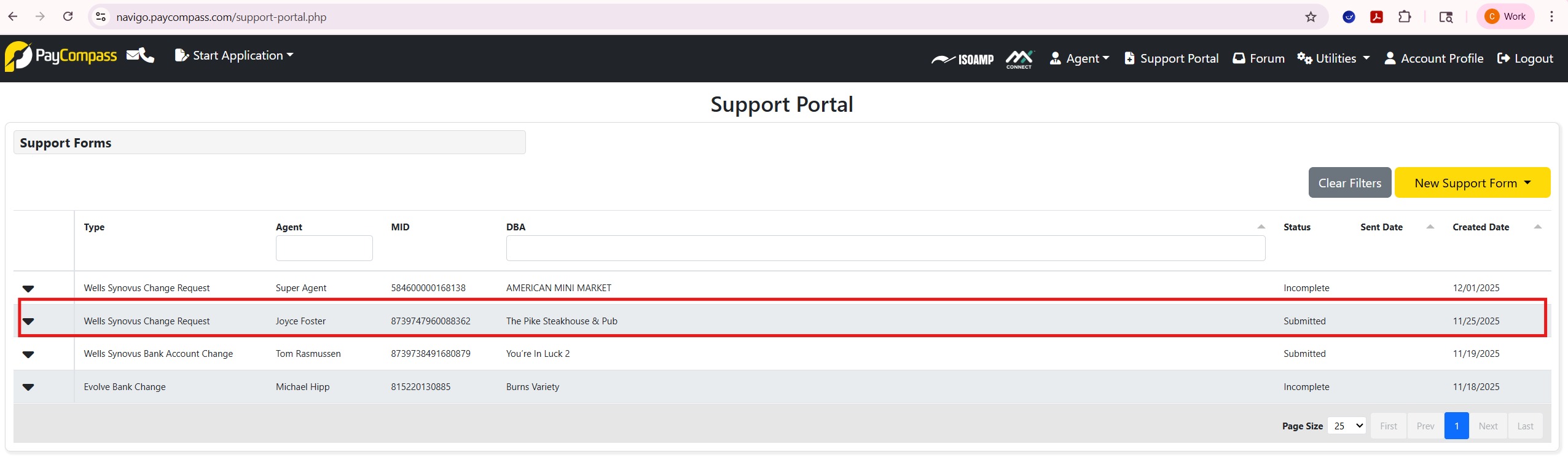
Once in the support portal (Below), you will see all the support requests made you can filter by DBA or Agent name
In this instance we are working with (The Pike Steakhouse & Pub).
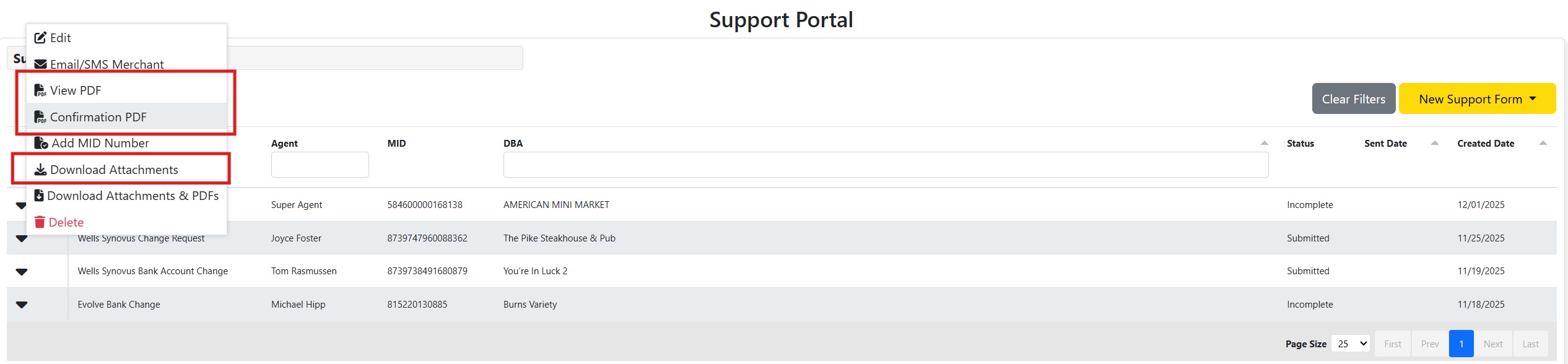
To get all documents needed to submit a case for this specific request, you will need to click and download "view PDF", "Confirmation PDF" and "Download attachments".
Once downloaded you can proceed with the change/request within the FreshDesk ticket created by Navigo