
What is Freshdesk? Freshdesk is a cloud-based customer/sales support and help desk platform. PayCompass utilizes it to manage sales agent and customer inquiries via support tickets.
What value does Freshdesk provide PayCompass?
- It centralizes all customer and sales agent communications in one system, ensuring inquiries, requests, and issues are captured as trackable tickets instead of being dispersed across individual inboxes, chats, or personal communications.
- It provides complete visibility into sales and customer interactions, allowing teams to view ticket history, previous conversations, and internal notes in a single location, resulting in more informed and consistent responses.
- It improves accountability and ownership by assigning tickets to specific departments or support agents, ensuring every request has a responsible owner and reducing the risk of missed communications.
- It enables faster response times by helping support teams prioritize urgent issues and automatically directing tickets to the appropriate department or specialist.
- It enhances collaboration between departments, allowing customer service, sales, operations, and management teams to work from the same customer record and communicate internally on tickets
Prerequisites for accessing Freshdesk:
• Access to a computer with internet connectivity
• A valid Freshdesk account
• Basic understanding of customer service processes
PART I: Logging into Freshdesk for the first time
◦ Navigate to the Freshdesk login page by visiting paycompass.freshdesk.com
◦ Enter your company email and password.
◦ Click on the "Login" button.
PART II: Introduction to the Freshdesk home screen
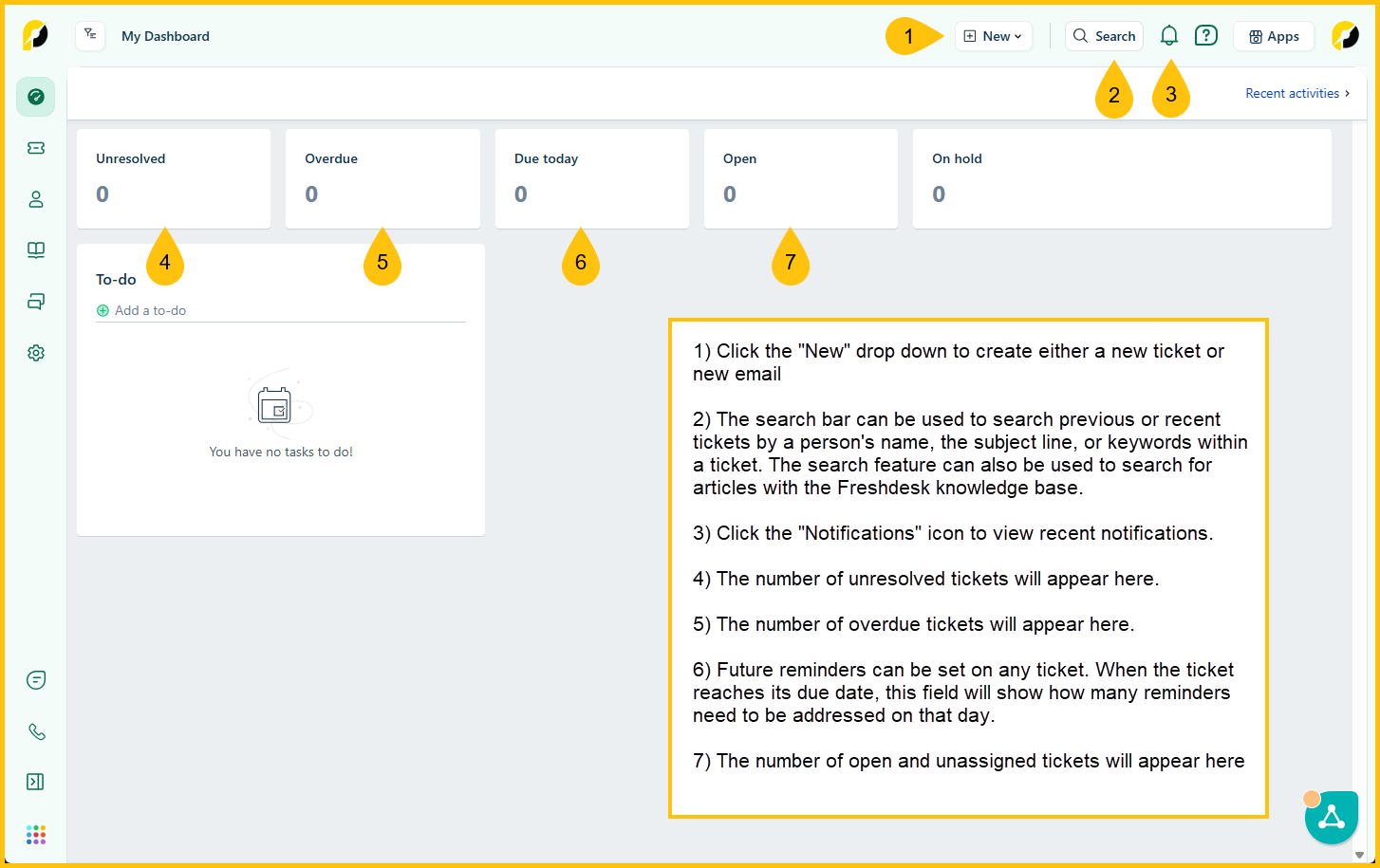
Example A: Home screen layout for first time users
Example B: Home screen layout for the Sales Ops/Support team
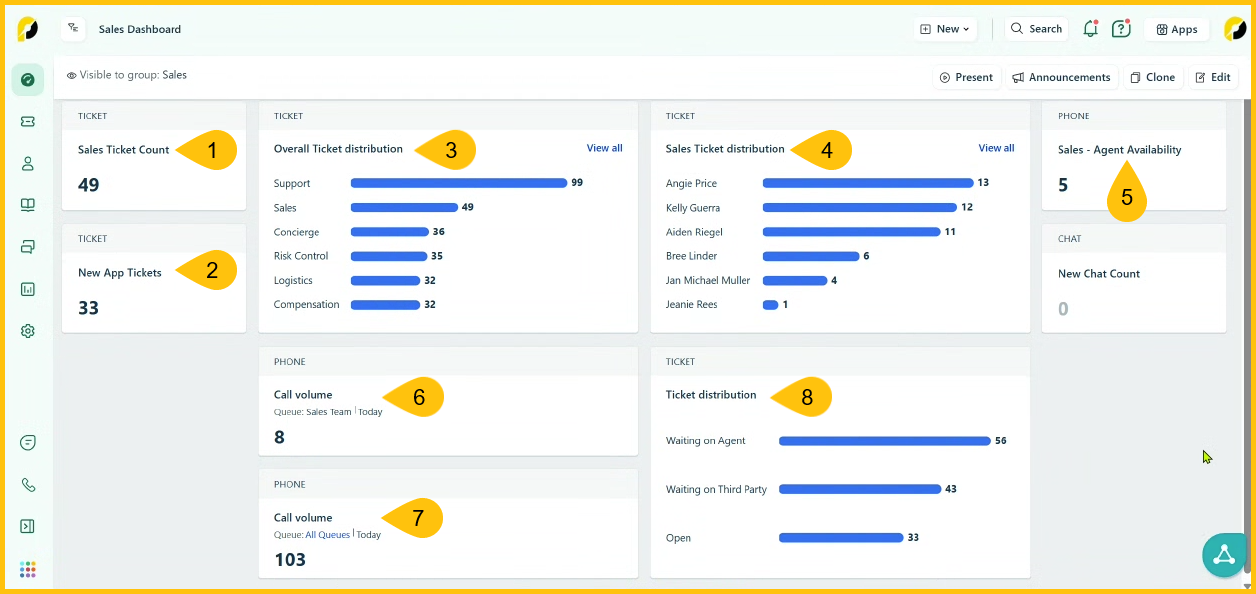
- Number of tickets received that are specific to the Sales Ops/Support team
- Number of tickets as they pertain to new applications submitted to the Sales Ops/Support team
- Overall ticket distribution to all departments with access to Freshdesk
- Overview of the distribution of tickets to the Sales Ops/Support team members
- Number of Sales Ops/Support agents that are available to accept calls via Freshcaller which is a mobile companion piece that ties directly into Freshdesk
- Call volume for the Sales Ops/Support team specifically
- Call volume for the departments that have access to both Freshdesk and FreshCaller
- Ticket distribution provides a status overview of current tickets. Statuses include:
- Waiting on Agent - This applies to direct responses to the sales agent where a response is required from the sales agent
- Waiting on Third Party - This typically applies to tickets that require our 3rd party vendors to provide insight with their offerings so that a support agent can respond back to the sales agent regarding their inquiry.
- Open - This applies to both assigned and unassigned tickets that have either yet to be addressed or have not been resolved yet